# Teamcenter to Manufacturo

## Overview

Violet's Teamcenter >> Manufacturo data sync keeps part revisions, part metadata and BOMs synchronized across systems, and based on your team's internal business logic.

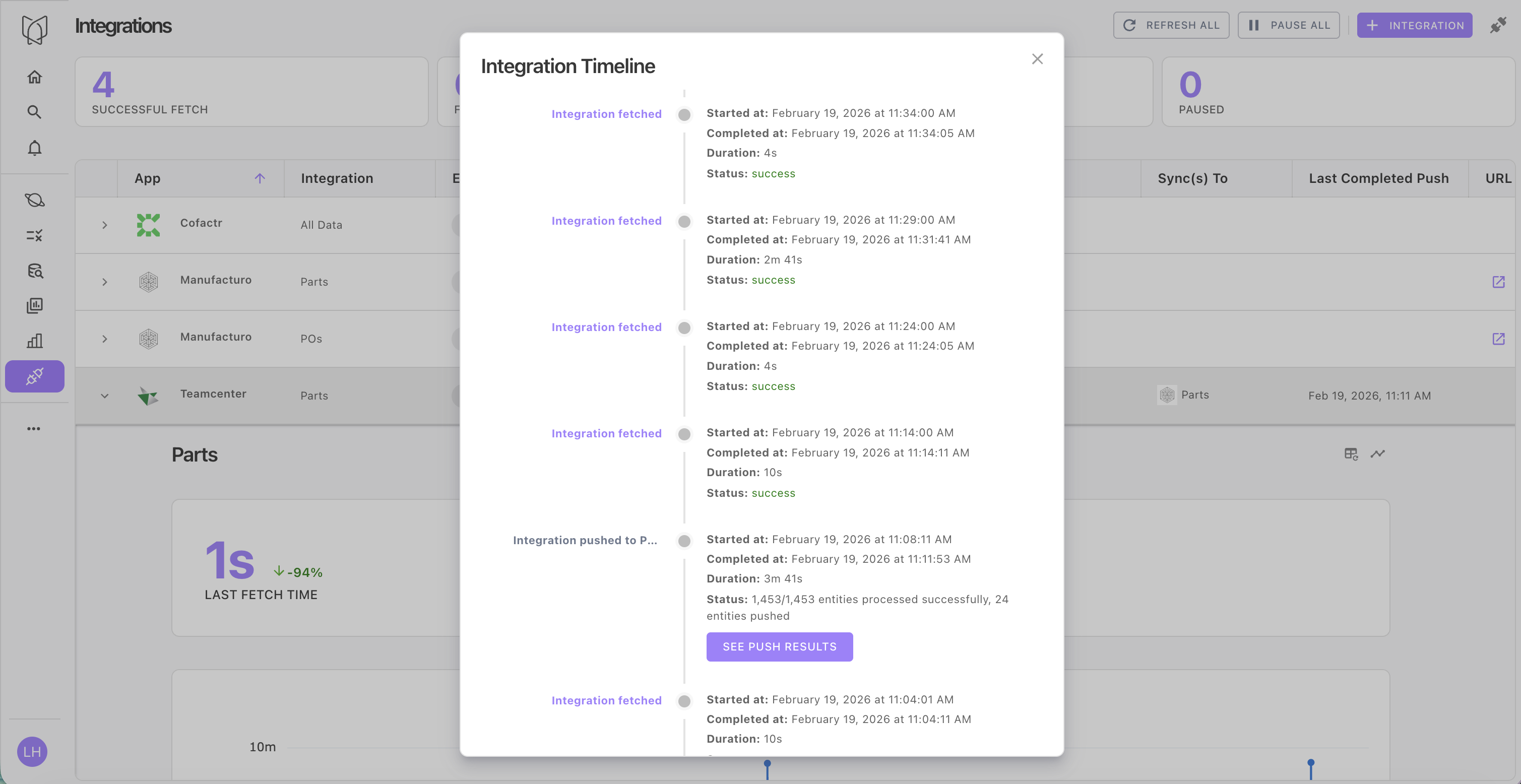
Violet provides full observability into data sync status, metrics and error logging, as well as tailored notifications via email or Slack.

<figure><img src="https://2091741164-files.gitbook.io/~/files/v0/b/gitbook-x-prod.appspot.com/o/spaces%2FvrraExym8pNEUvBDoima%2Fuploads%2FYTrSxJo9tby372SV8AKf%2FScreenshot%202026-02-19%20at%2012.11.32%E2%80%AFPM.png?alt=media&#x26;token=5a364223-c6e1-4d6d-b7d8-0a3169d4cba8" alt="" width="563"><figcaption><p>Fine-grained metrics are tracked for each integration and data sync</p></figcaption></figure>

<figure><img src="https://2091741164-files.gitbook.io/~/files/v0/b/gitbook-x-prod.appspot.com/o/spaces%2FvrraExym8pNEUvBDoima%2Fuploads%2F4ZNWph6HqnFsY2kTCA3e%2FScreenshot%202026-02-19%20at%2011.48.59%E2%80%AFAM.png?alt=media&#x26;token=87c92c7e-6640-4b60-8ae8-f7804a2f4ded" alt="" width="563"><figcaption><p>View a high level summary of data sync progress or delve into the details</p></figcaption></figure>

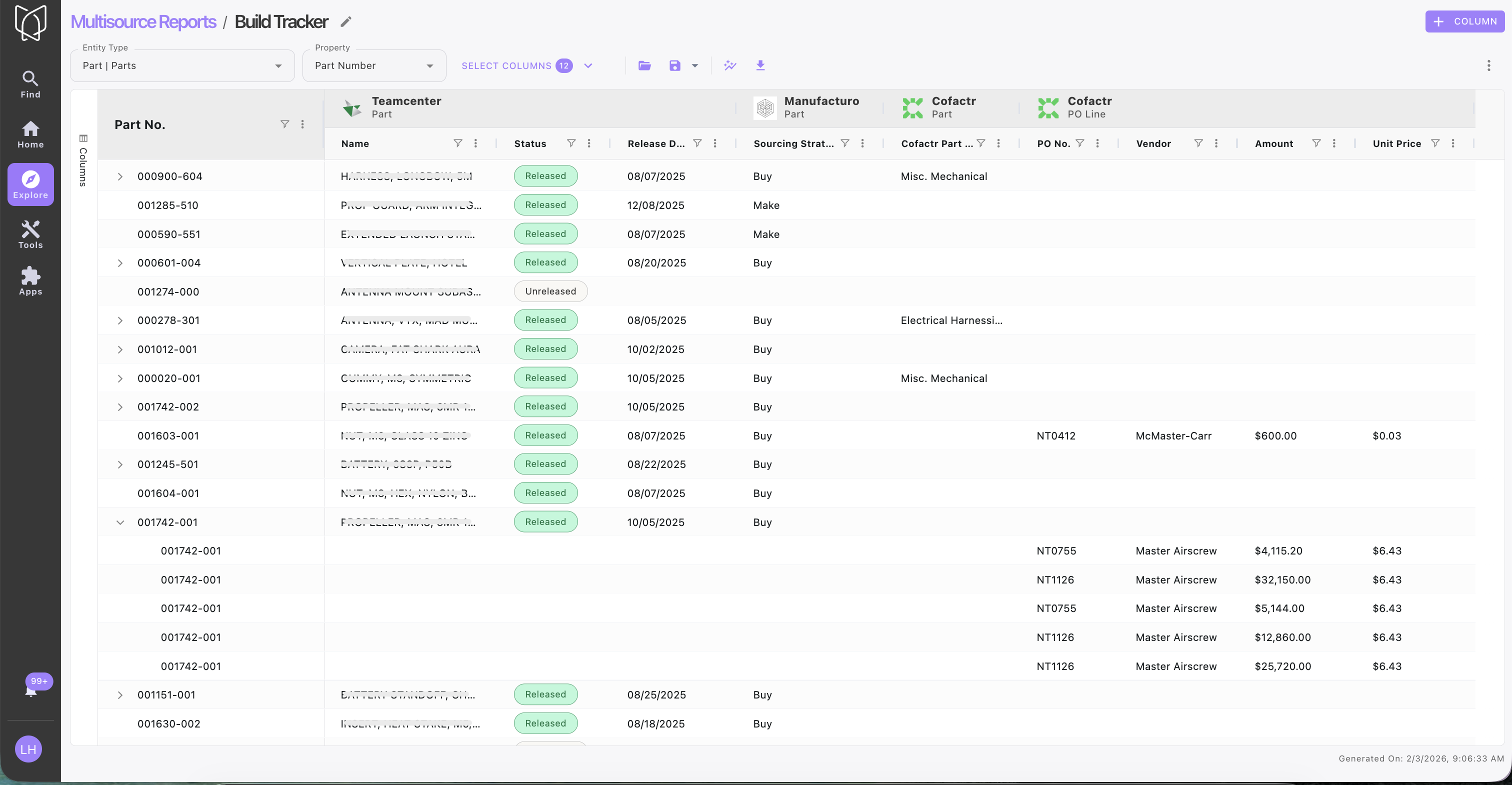
With data centralized and structured into Violet's ontology, you can manage and track data from disparate sources seamlessly. For example, use [reports](https://docs.violetlabs.com/features/reports "mention") to track part, inventory, test and purchasing data in a single report, monitor Clear-to-Build status or highlight differences across your EBoM and MBoM.

<div align="center"><figure><img src="https://2091741164-files.gitbook.io/~/files/v0/b/gitbook-x-prod.appspot.com/o/spaces%2FvrraExym8pNEUvBDoima%2Fuploads%2FnqgRuPPKNtgQCYTUHILu%2FTC%2C%20MFO%2C%20Cofactr%20multisource%20report.png?alt=media&#x26;token=c9be0de1-92d5-44ed-9bb5-3bb71dfba0f0" alt="" width="563"><figcaption><p>Multisource Reports structure data from disparate systems into an always-up-to-date report.</p></figcaption></figure></div>

## Getting started

Follow the instructions below to set up a data sync from [teamcenter](https://docs.violetlabs.com/apps/t/teamcenter "mention") to [manufacturo](https://docs.violetlabs.com/apps/m/manufacturo "mention").

{% stepper %}
{% step %}

#### Connect <img src="https://2091741164-files.gitbook.io/~/files/v0/b/gitbook-x-prod.appspot.com/o/spaces%2FvrraExym8pNEUvBDoima%2Fuploads%2FztcJg6t0uFUxHdnK6maj%2Fimage.png?alt=media&#x26;token=b78c81f6-0065-496c-bac4-53671bba5bac" alt="" data-size="line">Manufacturo and create an integration

First, connect Manufacturo in Violet.&#x20;

* Contact your Violet account manager to obtain the relevant scripts to be uploaded to your Manufacturo Integrator app. We'll work with you to configure the right details for your team's site codes, destination site(s) for parts & BOMs, etc.
* Once scripts have been configured and uploaded, connect Manufacturo in Violet and fetch **Parts** (full instructions [here](https://docs.violetlabs.com/apps/m/manufacturo)).
  {% endstep %}

{% step %}

#### Connect <img src="https://2091741164-files.gitbook.io/~/files/v0/b/gitbook-x-prod.appspot.com/o/spaces%2FvrraExym8pNEUvBDoima%2Fuploads%2FbGCfobaGlsNcIsh6aA04%2Fimage.png?alt=media&#x26;token=3e4643c1-815e-4feb-a163-e9fec1776dce" alt="" data-size="line">Teamcenter and create an integration

* Next, set up your Teamcenter integration and fetch **Parts** (full instructions [here](https://docs.violetlabs.com/apps/t/teamcenter)).
  {% endstep %}

{% step %}

#### Configure Teamcenter data sync to Manufacturo

* From the Teamcenter integration panel, select Manufacturo as the target app from the dropdown menu for data syncs:

<figure><img src="https://2091741164-files.gitbook.io/~/files/v0/b/gitbook-x-prod.appspot.com/o/spaces%2FvrraExym8pNEUvBDoima%2Fuploads%2FRE9zpt6EI1QkFJU5qBjh%2FTC%3ENetsuite%2C%20MFO%2C%20Cofactr.png?alt=media&#x26;token=198e0322-665f-4626-8504-1d804f6a364c" alt="" width="188"><figcaption></figcaption></figure>

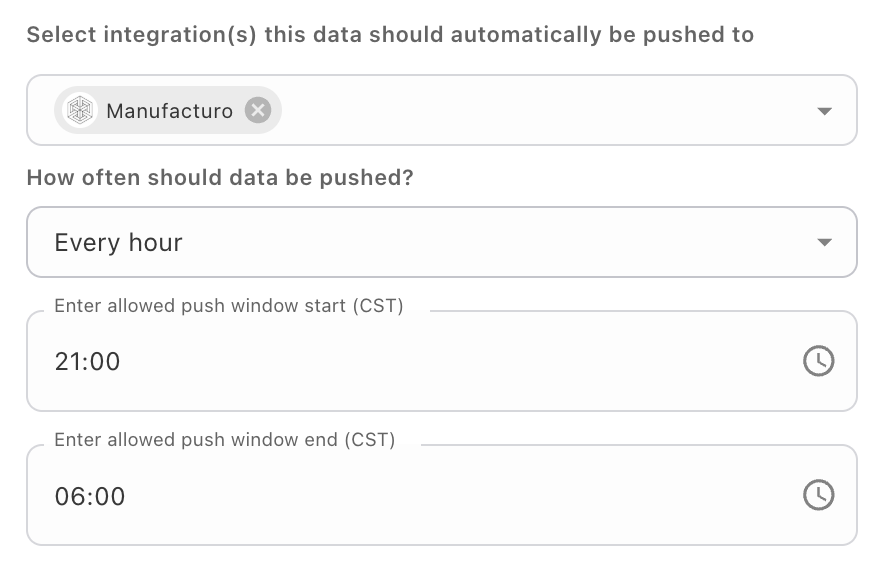
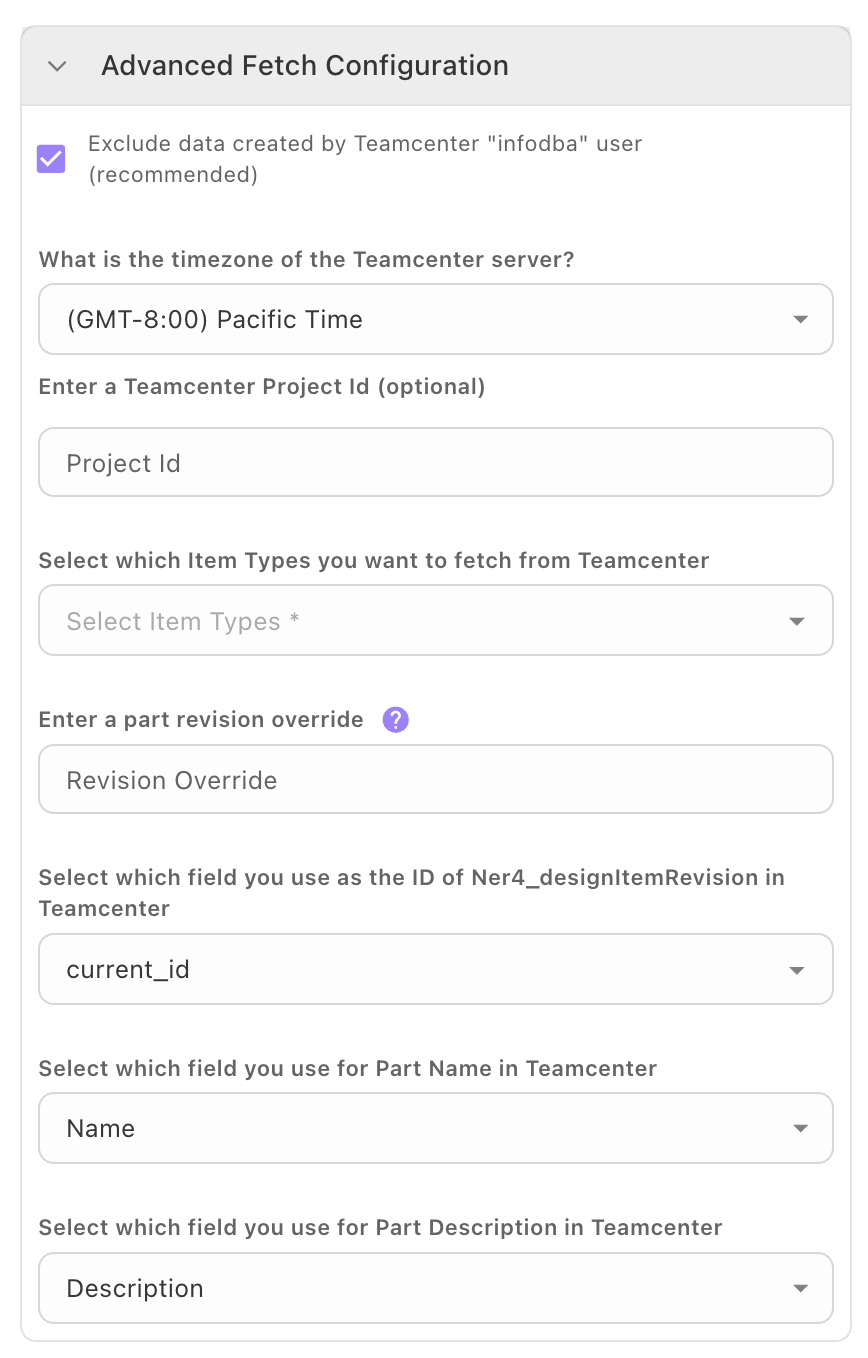
* Configure any custom property mappings, your desired fetch frequency, and (optionally) a time window when data syncs are allowed (for example, you can set the data syncs to run overnight to avoid business hours).

<div><figure><img src="https://2091741164-files.gitbook.io/~/files/v0/b/gitbook-x-prod.appspot.com/o/spaces%2FvrraExym8pNEUvBDoima%2Fuploads%2FaQmUIwoAO1BjmCl9ZbGQ%2FCustomizable%20property%20mapping.png?alt=media&#x26;token=2053bf91-0678-4aa1-9bff-cd7ce1cbd335" alt="" width="188"><figcaption></figcaption></figure> <figure><img src="https://2091741164-files.gitbook.io/~/files/v0/b/gitbook-x-prod.appspot.com/o/spaces%2FvrraExym8pNEUvBDoima%2Fuploads%2FbnXNZMqRqaGrb7FcjF8y%2FTC%3EMFO%20sync%20frequency.png?alt=media&#x26;token=e6cc60d0-d825-4079-8cfe-f33802802ec0" alt="" width="188"><figcaption></figcaption></figure></div>

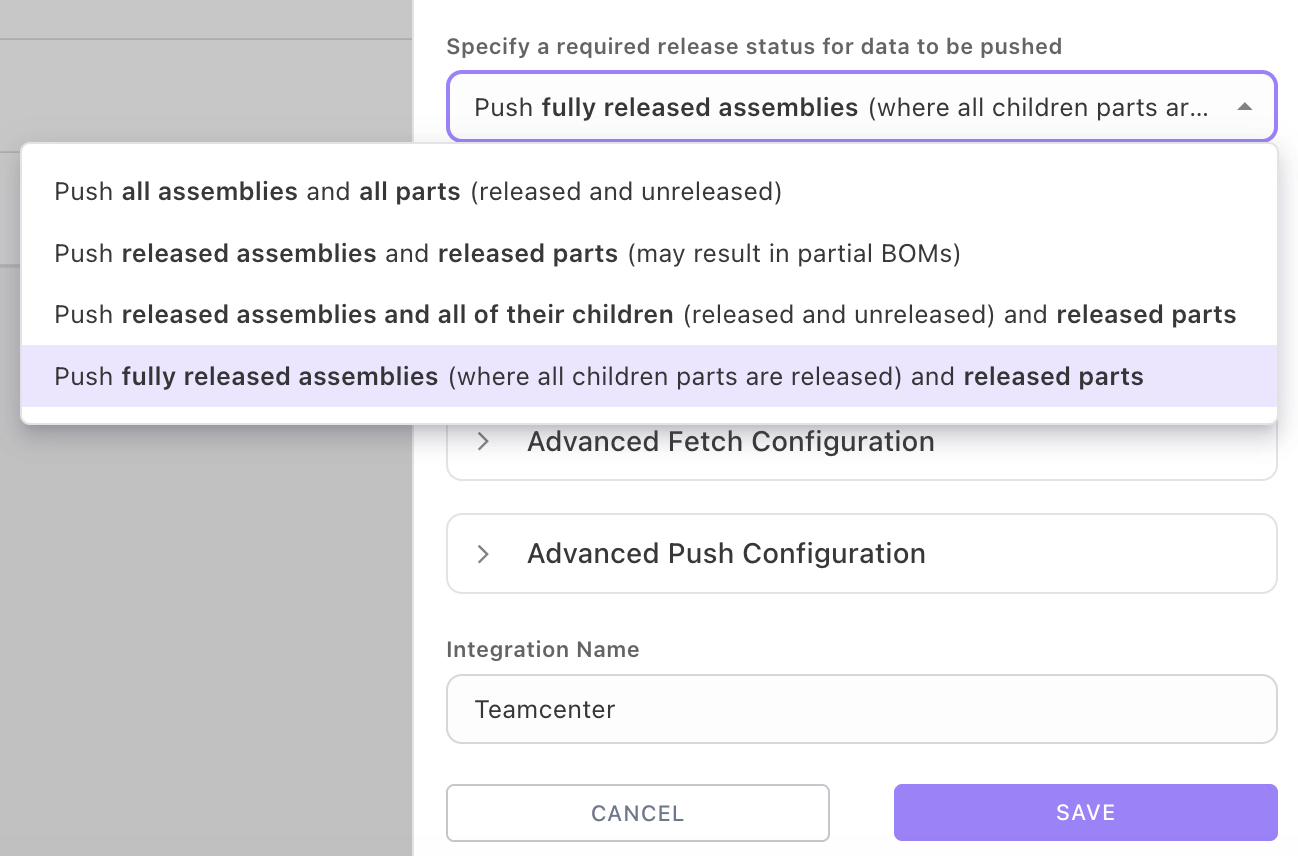
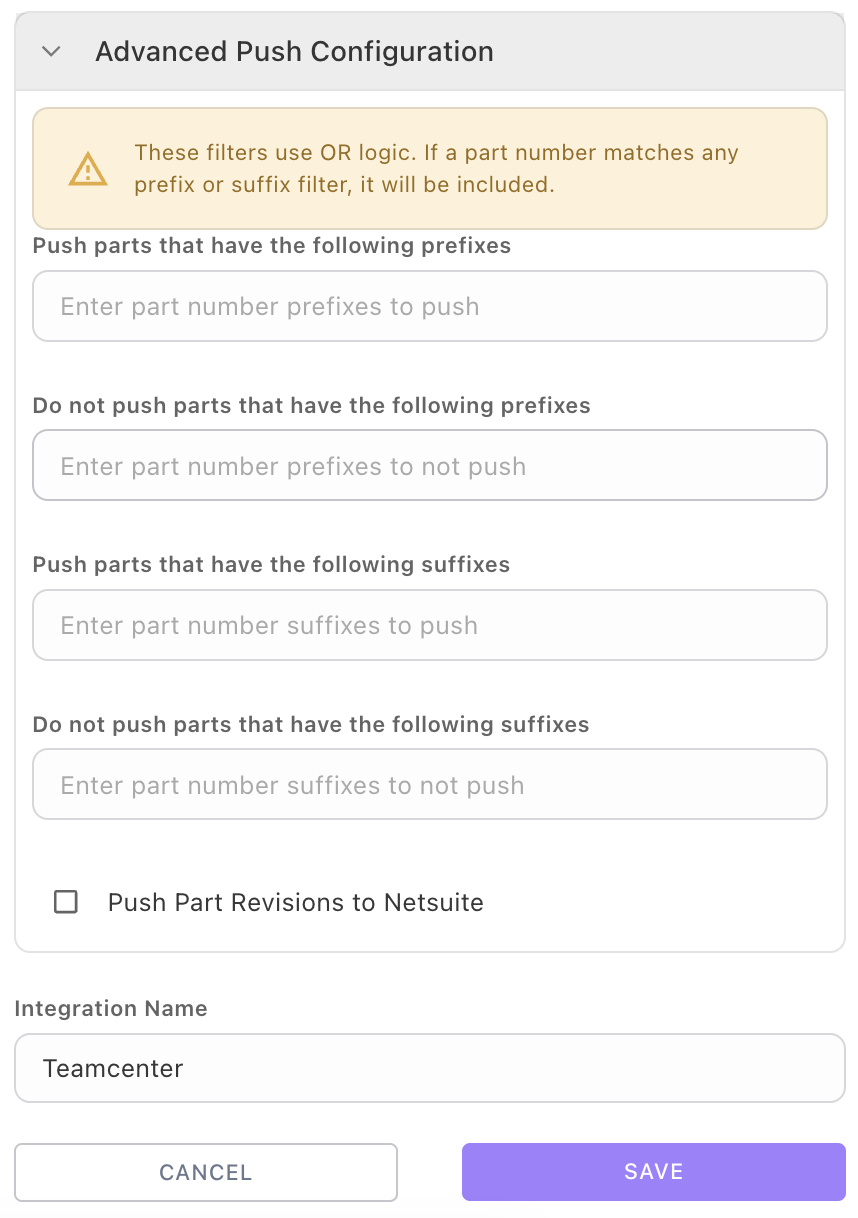
* Configure any rules for your data sync, for example only pushing released parts and assemblies, or only syncing parts with certain suffixes or prefixes.

<div><figure><img src="https://2091741164-files.gitbook.io/~/files/v0/b/gitbook-x-prod.appspot.com/o/spaces%2FvrraExym8pNEUvBDoima%2Fuploads%2FkHnrLMq2wox7z2WBzxxy%2FTC%3EMFO%20rules.png?alt=media&#x26;token=c2c376fa-815a-447d-9147-673c7d1934ed" alt="" width="375"><figcaption></figcaption></figure> <figure><img src="https://2091741164-files.gitbook.io/~/files/v0/b/gitbook-x-prod.appspot.com/o/spaces%2FvrraExym8pNEUvBDoima%2Fuploads%2FOPGrPoRWBi3uc0WNwc7z%2FScreenshot%202026-02-04%20at%2011.36.03%E2%80%AFAM.png?alt=media&#x26;token=f80853c3-1748-4932-adf5-05267970f167" alt="" width="188"><figcaption></figcaption></figure></div>

* When you have finished configuring the sync, click <mark style="color:purple;">**SAVE.**</mark>
  {% endstep %}
  {% endstepper %}

### One-time data syncs

Alternatively, you can sync parts to Manufacturo on a one-off basis.

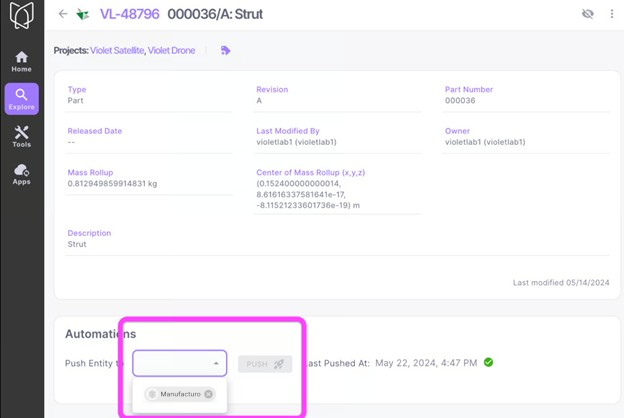
1. Navigate to the desired Teamcenter part in Violet. Under **Automations**, select your target app and click Push.\
   \
   \&#xNAN;*Note, if this part is an assembly, the entire assembly will be pushed.*

<figure><img src="https://2091741164-files.gitbook.io/~/files/v0/b/gitbook-x-prod.appspot.com/o/spaces%2FvrraExym8pNEUvBDoima%2Fuploads%2F42G1iWPksjSNyxEPMtIP%2FAutomationsManufact.png?alt=media&#x26;token=a1845e7f-06fd-4ebb-8dca-816707cd60b6" alt="" width="468"><figcaption></figcaption></figure>

2. Once successful, you will now see this part and its children in Teamcenter, Violet and Manufacturo.

## Observability

To learn more about monitoring performance and health & status of your data syncs, head to [observability](https://docs.violetlabs.com/features/workflows/observability "mention").