# Jira to Smartsheet
Set up a **Jira-to-Smartsheet** data sync to automatically update Smartsheet with your Jira data, such as Issue Status, Assignee, Due Date, etc.
## Getting started
Follow the instructions below to get started:
{% stepper %}
{% step %}
### Create a Smartsheet integration
First, connect Smartsheet, and create an integration in Violet (instructions [here](https://docs.violetlabs.com/apps/s/smartsheet)).
{% endstep %}
{% step %}
### Connect Jira
Next, connect Jira in Violet (instructions [here](https://docs.violetlabs.com/apps/j/jira)).
{% endstep %}
{% step %}
### Set up a data sync and create an integration
Before you finalize your Jira integration, select **Smartsheet** in the dropdown menu for "automatically pushing data to another app".
{% endstep %}
{% step %}
### See Jira data in your "Violet References" workspace
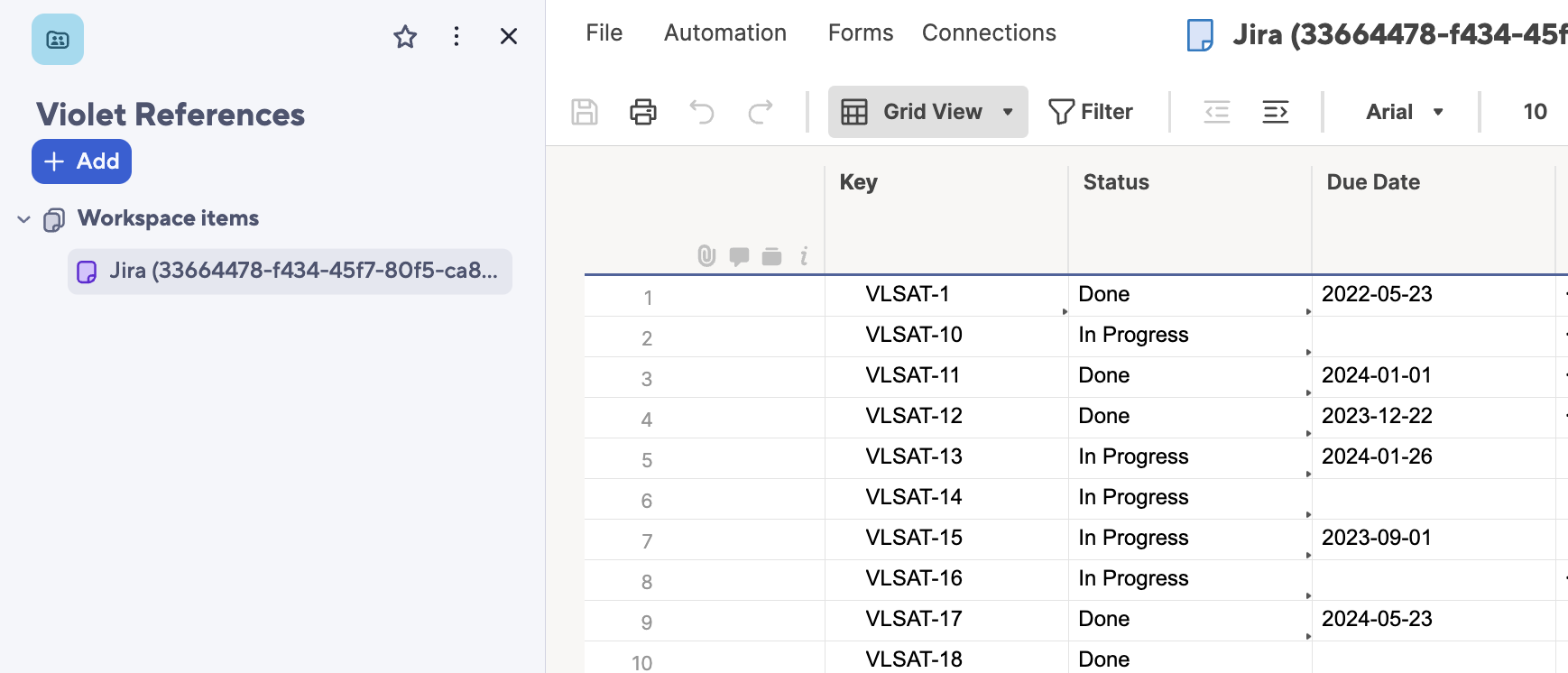
In Smartsheet, a **Violet References** workspace and a **Jira** reference sheet will automatically be created.
Violet will use the Jira reference sheet to continuously push updates about your Jira data to Smartsheet.
{% endstep %}
{% endstepper %}
Next, you can use Smartsheet formulas like INDEX and MATCH to auto-fill your Jira data in other sheets.

 Smartsheet integration
First, connect Smartsheet, and create an integration in Violet (instructions [here](https://docs.violetlabs.com/apps/s/smartsheet)).
{% endstep %}
{% step %}
### Connect
Smartsheet integration
First, connect Smartsheet, and create an integration in Violet (instructions [here](https://docs.violetlabs.com/apps/s/smartsheet)).
{% endstep %}
{% step %}
### Connect  Jira
Next, connect Jira in Violet (instructions [here](https://docs.violetlabs.com/apps/j/jira)).
{% endstep %}
{% step %}
### Set up a data sync and create an integration
Before you finalize your Jira integration, select **Smartsheet** in the dropdown menu for "automatically pushing data to another app".
Jira
Next, connect Jira in Violet (instructions [here](https://docs.violetlabs.com/apps/j/jira)).
{% endstep %}
{% step %}
### Set up a data sync and create an integration
Before you finalize your Jira integration, select **Smartsheet** in the dropdown menu for "automatically pushing data to another app".